Best Ergonomic Chair for Small Home Offices: Compact & Comfy
Finding the best ergonomic chair for small home offices feels a bit like playing a game of Tetris where your back health is at stake. You need something that provides serious support for those long afternoons at the desk, but you also cannot have a massive, bulky executive chair taking over your entire living room. It is a tricky balance to strike, especially when square footage is tight and your "office" doubles as your dining nook or bedroom corner.
After testing dozens of models that claim to be "space-saving," I have found that you don't have to sacrifice comfort for a smaller footprint. The trick is looking for specific features like adjustable armrests that tuck away, slim-profile frames, and breathable mesh that feels lighter than heavy leather. Let’s dive into how you can reclaim your workspace while keeping your posture perfect.
Why Small Offices Need Specialized Chairs
Think about the last time you tried to squeeze a bulky gaming chair into a tight corner. You probably bumped your knees, couldn't tuck the chair away properly, and felt like you were working inside a cockpit rather than a cozy home office. That is the fundamental problem with standard "office" furniture.
Most mainstream ergonomic chairs are designed for large cubicles with unlimited floor space. In a home setting, those bulky base diameters and wide seat pans just get in the way. A chair designed for a small space should:
- Have a smaller base footprint (usually under 26 inches wide).
- Use a slim back design that doesn't feel like a visual wall.
- Feature a clean aesthetic that blends into home decor.
When your chair fits your room correctly, you actually feel more productive. You have space to move, your room feels less cluttered, and you don't feel like your desk job is literally crowding you out of your own home.
Key Features to Prioritize
When you are shopping, don't just look for "small." You need to look for "compact performance." A tiny chair that offers zero lumbar support is just a stool, and that is not going to help your back after three hours of typing.
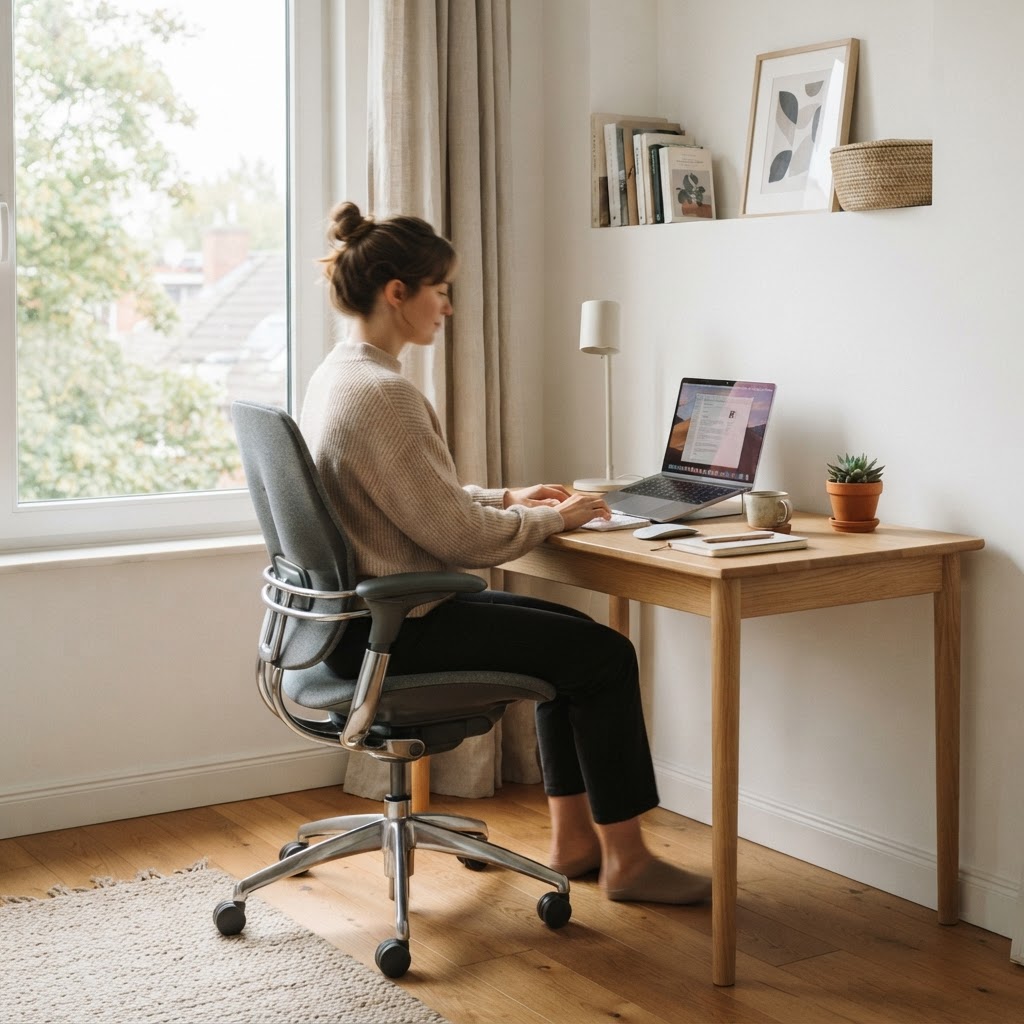
First, focus on adjustability. Even in a small package, you need a height-adjustable seat, at least basic lumbar support, and ideally, armrests that you can move out of the way. If you can push your chair completely under your desk when you are finished, you have effectively gained back valuable floor space.
Next, look at the material choice. Heavy, tufted leather looks nice in a boardroom, but it looks heavy and dominates a small room. Opt for high-quality mesh or fabric. These materials are visually "lighter" and keep you cool, which is essential if you are working in a space with limited ventilation.
"The ideal ergonomic chair for a small space shouldn't just be small—it should be capable of disappearing into your room's aesthetic when you aren't using it."
Top Picks for Compact Comfort
I have narrowed down the field to three distinct categories of chairs that work wonders in tight spots. Each of these offers a unique solution to the problem of space vs. support.
1. The Minimalist Mesh Master
The mesh chair is the king of small-space ergonomics. Models like the HON Ignition 2.0 or various task chairs from branch offer a thin frame that doesn't trap heat or light. Because the backrest is a single layer of tensioned mesh, it doesn't take up much visual space, making your room feel larger than it is.
2. The Armless Wonder
If you have a very narrow desk opening, consider an armless chair. Without armrests, you can scoot much closer to your workspace, and the chair can slide almost entirely under the desk. This is a game-changer for those using converted closets or small hallway nooks as their primary office.
3. The Boutique "Home" Aesthetic
Some manufacturers are now making "pro-sumer" chairs that look like high-end furniture rather than plastic office equipment. These often feature slim profiles, wood accents, or neutral fabrics that don't scream "corporate office," fitting perfectly into a living room or bedroom setting.
Setting Up Your Compact Workspace
Once you have your new chair, the setup matters just as much as the product itself. Many people make the mistake of setting their desk too low or their chair too high because they are trying to force a bad fit in a small room.
Follow these three rules to ensure your compact setup is actually ergonomic:
- Elbow Alignment: Your elbows should sit at a 90-degree angle while typing.
- Feet Flat: Your feet must be firmly on the floor. If you have to raise the chair to match a high desk, get a small footrest.
- Screen Distance: Keep your monitor about an arm's length away. If your desk is too shallow, consider a monitor arm that mounts to the back of the desk to save surface area.
Remember, your goal is to create a station that works for you, not one that you have to work around. If you find yourself slouching because your desk is too small to support a proper keyboard tray, address that first before blaming the chair.
Final Thoughts on Small Office Success
Your home office does not have to be a cramped, uncomfortable space. By choosing the best ergonomic chair for small home offices, you are making a commitment to your health and your productivity. You are also proving that you can have a high-performance workspace in even the smallest corner of your home.
Take your time with the measurements. Measure your desk height, the width of your legroom, and the amount of clearance you need to push the chair back safely. Once you find that perfect "Goldilocks" chair—the one that supports your spine without taking over your life—you will wonder how you ever worked without it.